
Best Lock Screen Wallpapers for Longer Battery Life
Quick answer: If your smartphone has an OLED or AMOLED screen, using pitch-black or very dark wallpapers actually turns off individual pixels on your display. This means your lock screen uses significantly less power every time it lights up for a notification, directly extending your battery life.
We all check our phones dozens, if not hundreds, of times a day. Every single time a notification pops up, or you tap the screen to check the time, your lock screen lights up. If you are using a bright, white, or highly detailed background, your phone’s battery is working overtime just to display that image.
But there is a clever, visually stunning workaround. By switching to true-black or AMOLED-optimized wallpapers, you aren’t just giving your phone a sleek, premium aesthetic—you are literally saving battery life. Let’s dive into how this works and check out some of the best dark wallpapers to optimize your mobile device.
Top Battery-Saving Wallpapers to Try
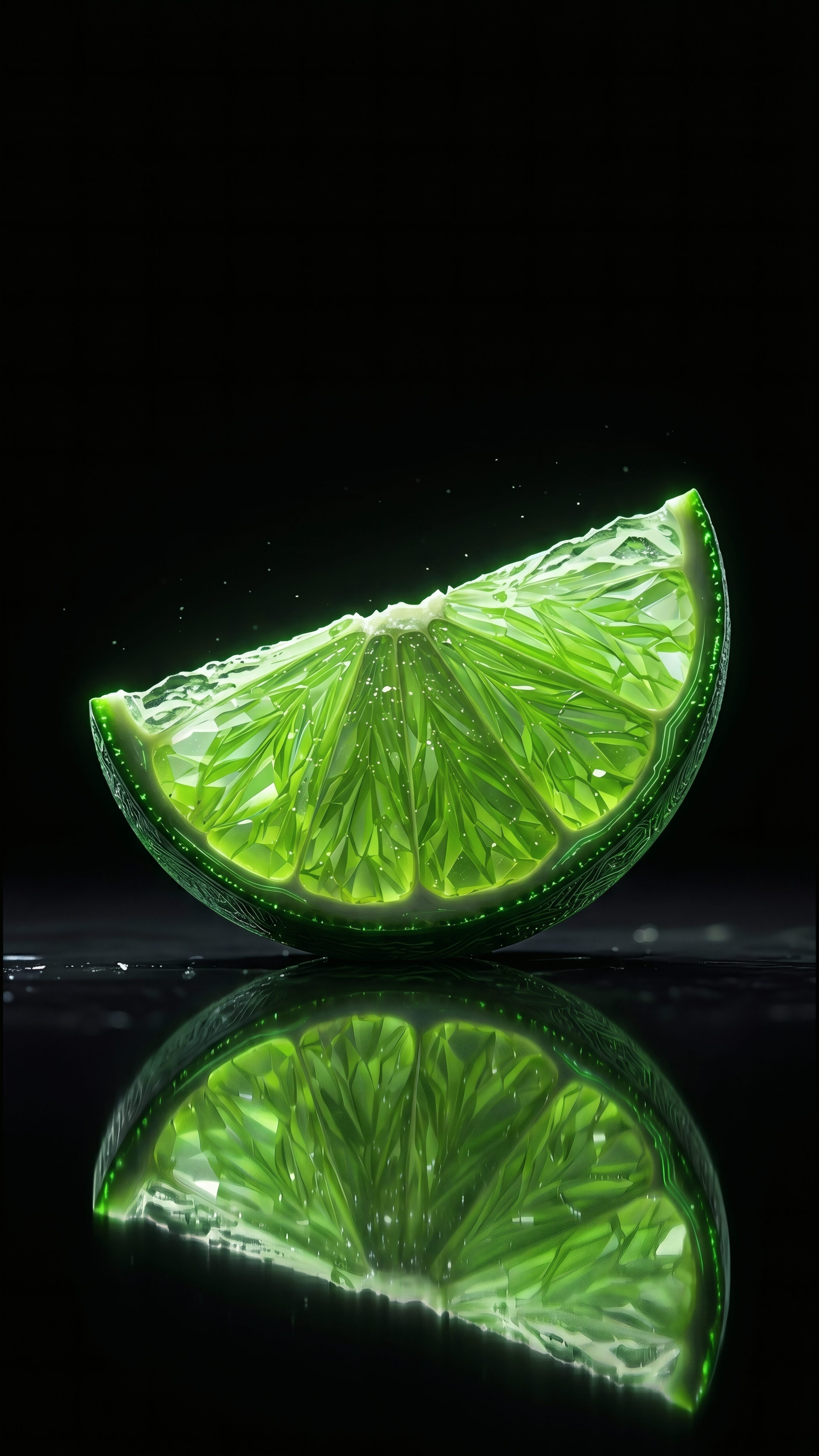
Neon Glass Lime
Bright neon against a deep dark background is perfect for OLED screens. The vibrant green pops beautifully while the pitch-black areas keep your battery usage minimal.
Download in 4K
Abstract Dark Dunes
A minimal, dark aesthetic featuring smooth dunes under a starry night sky. The extensive use of true blacks ensures maximum power efficiency for your lock screen.
Download in 4K
Yellow Porsche on Dark
A stunning yellow Porsche set against a dark, moody background. The high contrast makes the supercar visually striking without unnecessarily draining your phone’s power.
Download in 4K
Astronaut & Glowing Jellyfish
A surreal and creative space scene. The glowing elements stand out perfectly, while the expansive pitch-black space background shuts off screen pixels to save battery.
Download in 4KThe Science: How Dark Wallpapers Save Battery
To understand why this works, you have to know a little bit about how modern smartphone screens are built. Most premium phones today (like modern iPhones, Samsung Galaxies, and Google Pixels) use OLED or AMOLED technology.
Unlike older LCD screens that use a giant backlight to illuminate the entire display at once, OLED screens light up each pixel individually. When an OLED screen needs to show the color black, it doesn’t just display a dark color—it actually turns off the power to that specific pixel.
Pro Tip: Look for wallpapers labeled “True Black” or “AMOLED”. These use the exact hex code #000000, ensuring the pixels are fully shut off rather than just displaying a dark grey.
Best Practices for a Battery-Friendly Setup
Getting the most out of your battery isn’t just about the wallpaper. Combine your new dark background with these tips for maximum efficiency:
- Enable System Dark Mode: This ensures your menus, apps, and settings match your battery-saving wallpaper.
- Use Minimal Widgets: Widgets that constantly refresh (like live weather or stocks) drain battery in the background. Keep your lock screen clean.
- Turn on “Always On Display” smartly: If you use AOD, an AMOLED wallpaper ensures only a tiny fraction of the screen is drawing power.
- Lower your brightness: Even with a dark wallpaper, keeping auto-brightness enabled helps reduce unnecessary power draw.
Frequently Asked Questions (FAQs)
Will this work on my older LCD phone?
No, this trick specifically works on OLED and AMOLED screens. On an LCD screen, the backlight is always on, regardless of whether the wallpaper is black or white. However, a dark wallpaper can still reduce eye strain!
How much battery does a dark wallpaper actually save?
It depends heavily on your screen brightness and display technology. On OLED and AMOLED screens where individual black pixels turn off completely, dark-themed wallpapers naturally reduce screen power draw compared to bright white backgrounds throughout the day.
Are AMOLED wallpapers lower quality?
Not at all! In fact, the contrast between the pitch-black background and the vivid colors of the subject (like a bright car or glowing stars) often makes AMOLED wallpapers look sharper and higher quality in 4K.
Final Thoughts
Your wallpaper is more than just a picture—it’s a tool.
If you find yourself reaching for the charger before the day is over, swapping your bright, busy lock screen for a sleek, minimal AMOLED wallpaper is one of the easiest fixes you can make. Not only does it make your device look incredibly premium and modern, but it practically pays for itself by giving you that extra bit of battery life when you need it most.
Ready to save battery? Explore Our Premium AMOLED Wallpaper Collection